Build parks in ReSkate Park Editor: freecam, snapping, undo, saving, and sharing your park as a mod via Thunderstore (as of v1.1.3).
ReSkate Park Editor: Build and Share Custom Parks
The short answer: ReSkate ships an in-game Park Editor — place and move objects with a free camera, alignment snapping, and undo — and your finished park saves as a mod you can share, including through Thunderstore. Open it from the ReSkate menu, build, save locally, and pass the result around as a mod. Written as of v1.1.3 (October 6, 2026); ReSkate updates every few days, so re-check the official repository if a menu looks different. Note: ReSkate is a third-party open-source project, not an EA product, and this is an independent unofficial fan site — start with what ReSkate is or the install guide if you are new.
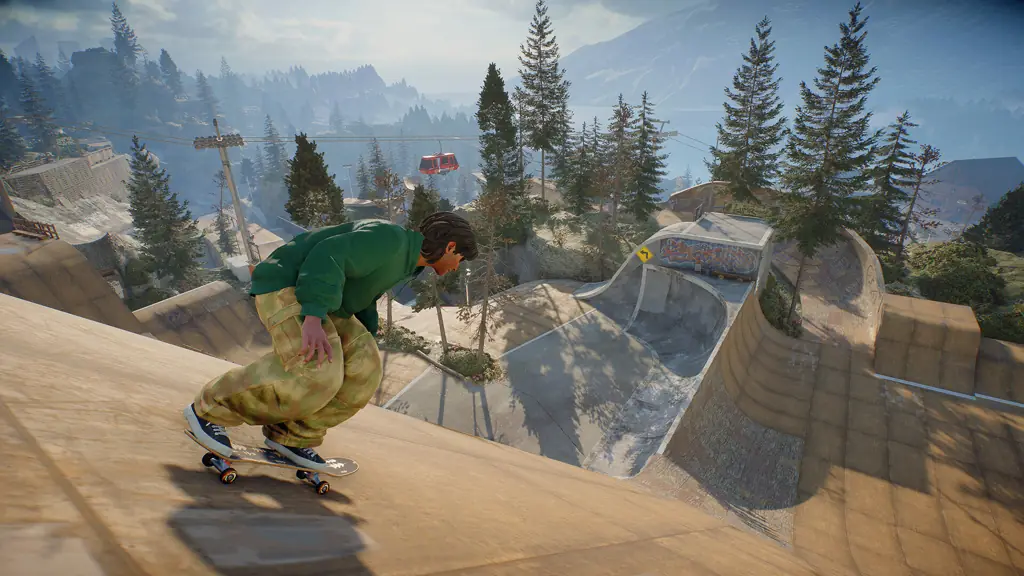
Header art is official skate. game artwork showing a skatepark, not a Park Editor screenshot.
What the Park Editor Is (and Is Not)
The official project description lists the Park Editor among the runtime features — place, move, and save objects with a freecam, snapping, and undo — and community launch coverage describes the same three tools, opened from the in-game ReSkate menu.
Official source: Dingo-Shenanigans/ReSkate and the community launch write-up at skatemods.com
What each of the three tools does, in plain terms:
| Tool | What it does for you |
|---|---|
| Freecam | A free-flying camera so you can frame, inspect, and place objects from any angle instead of only from your skater's viewpoint |
| Snapping | Alignment assistance so pieces sit flush against each other instead of floating or clipping |
| Undo | Step backward through your recent placements when something lands wrong |
One common confusion to clear early: the Park Editor is not ReSkate Studio. Studio is the project's companion map-making tool used to author full custom map mods, while the Park Editor is the in-game object-placement mode for building parks. If you searched for "studio", read the ReSkate Studio explainer.
The only confirmed keys are the global ones — Insert opens the menu, ~ the console, T chat. No dedicated Park Editor key list appears in the sources used here, so this guide describes what each tool does instead of inventing keys. The confirmed table lives on the keys and console reference.
Opening the Editor and Building Your First Park
You need a working ReSkate install before any of this applies — the install guide covers getting the launcher next to your own Steam copy of skate. (Reminder: skate. itself is free-to-play; you must bring your own free Steam account and legitimate install. ReSkate ships no game files.)
Once you are in the game, the flow is:
- Press Insert to open the ReSkate menu.
- Enter the Park Editor page, then build: freecam to frame the spot, snapping to line pieces up, undo when something lands wrong.
- Save. Players tuning game feel while testing lines should also look at the Trainer physics guide.
Place a few pieces, skate the line immediately, and fix what feels off while it is fresh — small tested sections stack into good parks, while huge builds made blind need painful rework.
Saving: Where Your Park Lives
Parks save locally, in the same offline profile area as your character and progress: %LOCALAPPDATA%\ReSkate\profiles\offline\. Game settings live separately under %LOCALAPPDATA%\ReSkate\Game\, isolated from the official servers.
Two facts worth knowing about saves:
- Saves stay on your PC. Your character, progress, and parks are all stored locally, and the game runs fine with Steam closed (you simply appear as "Unknown Player" with no multiplayer). Your park only exists on your machine until you share it — there is no cloud sync to rely on.
- A saved park is already close to a mod. The project's own framing is that editor saves are mods you can pass around. Back up the profile folder before big edits or updates.
If the game crashes while building, grab logs\ReSkate.log from next to the launcher — that log is what every bug report needs. The error troubleshooting collection covers what to do next.
Sharing Your Park as a Mod via Thunderstore
The sharing chain has three hops: your local save becomes a mod package, the package goes up on Thunderstore's ReSkate community, and other players install it through the launcher's MODS page or a manual drop into Mods\. The project's own warning applies end to end — "Only install mods you trust" — and it cuts both ways: only publish work you have the right to distribute.
The Thunderstore side follows the site's general first-upload flow, documented on the Thunderstore wiki's first-upload walkthrough and package upload page:
| Upload step | What Thunderstore expects |
|---|---|
| Account and team | Register (Discord, GitHub, or Overwolf sign-in) and create a team — every package is owned by a team, never by a bare user account |
| Package files | A zip with manifest.json, README.md, and a 256x256 PNG icon.png at the zip root, plus your mod files |
| Manifest contents | Package name, version_number, website_url, description, and dependencies — validate it before zipping |
| Test before upload | Install the exact zip you plan to upload on a clean profile and confirm the park loads in game |
| Publish | Upload through the package creation page, pick the ReSkate community, set honest categories, and check the NSFW flag (it cannot be changed later) |
Two honest caveats. First, the Thunderstore wiki describes the general upload flow for all games; the exact file layout a Park Editor save needs inside the zip follows whatever the ReSkate community's park packages use, so compare your save against an existing park package before publishing. Second, the sources used here confirm no dedicated in-editor "publish" button, so treat packaging as a manual step done outside the game. For the install side — how your downloaders grab the park — point them at the Thunderstore mod install guide, and for standout finished work, browse the best-mods roundup.
Only publish parks built from your own work or assets you are allowed to redistribute — reuploading someone else's mod without permission is the most common takedown cause on Thunderstore. And remind your downloaders of the project's rule: install only mods from authors they trust.
Limits, Versions, and Playing on Servers
Three things that surprise first-time builders:
- Updates can sideline old parks. ReSkate pins the game to a supported Steam build (25414733 as of v1.1.3), and mods built for a different build get skipped by name instead of crashing the game. If your park stops loading after an update, check the mod compatibility table before assuming the file is corrupt.
- Everyone in the session needs the same files. The host copies the map mod next to the server and players must have the identical mod. Hosts configuring park rotation should read the server config and admin reference.
- Big ambitions have engine limits. Raising the physics body cap was itself a headline update (v1.1.0), which tells you object-heavy builds can stress the game. If a huge park stutters, shrink piece counts first — and keep the version history handy.
Frequently Asked Questions
How do I open the Park Editor?
Press Insert in game to open the ReSkate menu, then enter the Park Editor page. The confirmed global keys are Insert (menu), ~ (console — type help to list commands), and T (chat).
Is the Park Editor the same as ReSkate Studio? No. The Park Editor is the in-game mode for placing and saving park objects; Studio is the project's companion map-making tool for authoring full map mods. See the Studio explainer for the full distinction.
Where is my park saved?
Locally, under %LOCALAPPDATA%\ReSkate\profiles\offline\, alongside your character and progress. Back that folder up before big edits or updates.
Can I share my park with friends?
Yes — a saved park is a mod you can distribute, including through Thunderstore's ReSkate community (account, team, validated manifest.json, 256x256 icon, README, zip at root, correct categories). Test the exact zip on a clean profile first.
Why won't my park load after a ReSkate update? Most likely a build mismatch: mods made for a different pinned game build are skipped by name. Check the compatibility table and the version history for what changed.
Do I need to buy anything to build and share parks? No. skate. is free-to-play on Steam and ReSkate is free and open-source — you need only your own free Steam account and legitimate install. As of October 7, 2026, EA has made no public statement about ReSkate either way, so nobody can promise what EA will do.
Related
More ReSkate Guides
Run ReSkate on Steam Deck and Linux: Desktop Mode install, Proton setup, reported 60 FPS performance, and known issues with workarounds (as of v1.1.3).
Mods broke after a ReSkate update? The pinned game build 25414733 decides what loads: how the launcher checks, skips outdated mods, and how to fix it.
Install ReSkate mods step by step: browse Thunderstore, add mods in the launcher, toggle them in game, and stick to mods you trust.
ReSkate multiplayer guide: 32-player lobbies, server browser, proximity voice, parties, and Throwdowns explained as of v1.1.3.
ReSkate offline mode explained: how the launcher skips EA servers, the Unknown Player state, local saves, and limits (as of v1.1.3).
Does ReSkate run on PS5? PC-only status, Steam Deck via Proton, and console confusion explained, with a skate. platform table, as of v1.1.3.
Is ReSkate safe, and can it get you banned? Open-source audit tips, antivirus false-positive fixes and download rules, as of v1.1.3.
ReSkateServer.json field-by-field reference: admin commands, votes, global bans, and fair-play checks, accurate as of v1.1.3.